FAQ
Frequently Asked Questions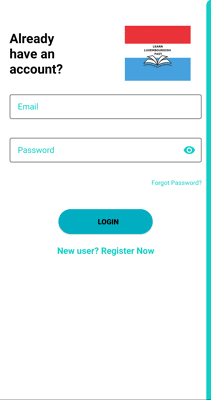 Provide a valid email and a password.
Note that the next step requires email verification so the email should be a valid one.
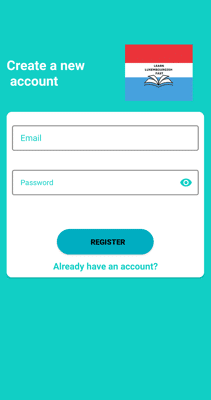 Check-out your emails, you should have a new email send from
"no-reply@verificationemail.com". Get the code, enter it
below and click "SUBMIT". If you don't see an email
check your spam folder. If you want to get a new code, click on
"SEND CODE".
Check-out your emails, you should have a new email send from
"no-reply@verificationemail.com". Get the code, enter it
below and click "SUBMIT". If you don't see an email
check your spam folder. If you want to get a new code, click on
"SEND CODE".
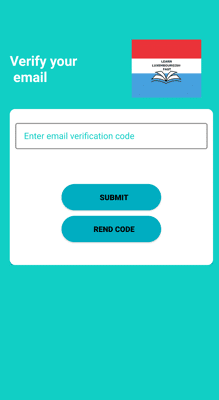 What if I forgot my password?
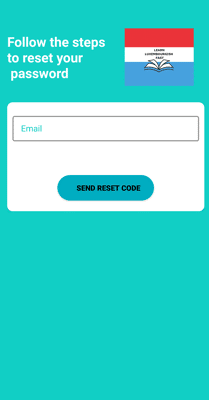
No worries. Click on Forgot Password.
Enter your email and click on "SEND RESET CODE". This
will send reset code in your email.
What if I forgot my password?
No worries. Click on Forgot Password.
Enter your email and click on "SEND RESET CODE". This
will send reset code in your email.
 Check-out your emails, you should have a new email send from
"no-reply@verificationemail.com". Get the code, enter it
below and click "SUBMIT". If you don't see an email
check your spam folder. If you want to get a new code, click on
"SEND RESET CODE".
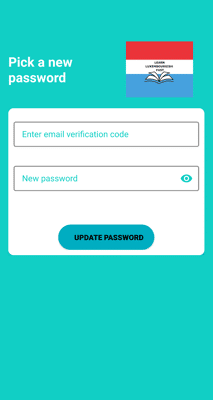
Enter the reset code along with a new password below.
Check-out your emails, you should have a new email send from
"no-reply@verificationemail.com". Get the code, enter it
below and click "SUBMIT". If you don't see an email
check your spam folder. If you want to get a new code, click on
"SEND RESET CODE".
Enter the reset code along with a new password below.
 How do I delete my account?
Currently account deletion is not supported from the mobile app.
How do I delete my account?
Currently account deletion is not supported from the mobile app.
To remove your data send an email to learnluxembourgishfast@gmail.com.
We will notify you back with an email when your data are removed from the system.